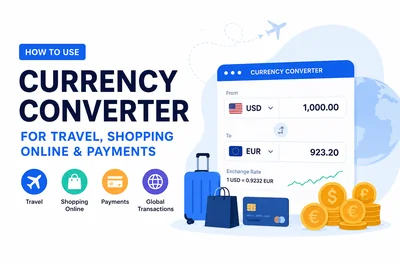
Whether you are booking a hotel abroad, checking out on an international store, or simply curious what a price tag means in your home currency, a quick conversion makes the decision easier. The fastest way to get a rough figure is to open the Currency Converter, type an amount, pick two currencies, and read the result. This guide explains how to use that estimate well for travel, shopping, and online payments, and why the number you see is rarely the exact amount your card or bank charges.
Start with the reference rate, then plan around it
A currency converter gives you a reference rate: a mid-market figure that sits between what buyers and sellers are willing to trade at. It is perfect for planning and comparison, but it is not the price any single provider guarantees at the moment you pay. Treat it as your baseline number and build a small buffer on top of it.
- Enter the amount you actually expect to spend, not a round placeholder.
- Select the currency you are paying in and the currency you think in.
- Note the converted figure, then add a margin for fees and spread (more on that below).
- Re-check shortly before you travel or pay, since rates move over time.
Why your card or bank rate differs from the converter
It is normal for the amount on your statement to differ from the reference figure. A few layers sit between the mid-market rate and what you are billed:
- Spread: providers convert at a rate slightly worse than mid-market for them to operate. The gap between buy and sell is the spread.
- Conversion or foreign-transaction fees: some cards and banks add a percentage on top of the converted amount.
- Dynamic currency conversion (DCC): when a foreign terminal offers to charge you in your home currency, it usually applies its own markup. Paying in the local currency is often clearer.
- Timing: the rate at checkout may differ from the rate when the transaction finally settles.
To estimate the real cost, take the converter's figure and increase it by the combined spread and fee. If you want to model that markup precisely, the Percentage Calculator turns "about 3% on top" into an exact amount in seconds.
Using a converter while traveling
Before a trip, a converter helps you sanity-check prices so you are not surprised at the till. A simple routine works well:
- Convert a few common amounts you expect to spend: a meal, a taxi, a day pass.
- Memorize one anchor, such as "100 of the local currency is roughly X at home."
- When a terminal offers to bill you in your home currency, compare it mentally against your anchor before accepting.
- Keep a small buffer in mind for fees rather than expecting the exact reference figure.
If you also need to translate distances, weights, or fuel measurements abroad, the Unit Converter handles those units alongside your money math.
Shopping abroad and spotting a genuine discount
International sales are easier to judge once everything is in one currency. The trap is comparing a "sale" price in a foreign currency against a familiar price at home without converting first.
A quick checklist
- Convert the listed price to your currency as a baseline.
- Apply the advertised discount and confirm the final figure is actually lower than your usual price.
- Add shipping, duties, and any conversion fee before deciding.
To check whether a markdown is as good as it looks, run the numbers through the Discount Calculator and then convert the result. Combining the two keeps you from overpaying on a "deal" that disappears once fees are included.
Online payments and recurring subscriptions
For one-off online purchases, convert the listed price and add your card's typical foreign-transaction margin to estimate the charge. For subscriptions billed in another currency, the converted amount can drift month to month as rates move, so review it periodically rather than assuming a fixed figure. If a service lets you choose the billing currency, comparing both options against the converter helps you pick the clearer one.
When you are budgeting income earned or spent across currencies, a Salary & Tax Calculator can help you frame take-home figures before you convert them, so your cross-border plan starts from a realistic net amount.
Accuracy & important note
FastToolsy is not Visa, Mastercard, Google, a bank, or an official exchange-rate provider. Rates are reference estimates for planning only.
Related tools & toolkits
Pair the Currency Converter with the Unit Converter for measurements, the Discount Calculator for sale prices, the Percentage Calculator for fees and spreads, and the Salary & Tax Calculator for budgeting. You can find these grouped in the Calculator Toolkit, browse everything under All Toolkits, or return to FastToolsy for more free tools.
Frequently Asked Questions
Why is the converter result different from my final bill?
The converter shows a mid-market reference rate, while your provider applies a spread and may add a conversion or foreign-transaction fee. To estimate the real cost, add that combined margin to the converted figure rather than expecting an exact match.
Is this the same as the card-network rate?
No. People sometimes search for a "Visa currency converter," but FastToolsy is independent and not affiliated with, endorsed by, or partnered with Visa. The numbers here are reference estimates, and a card network may use its own rate when a transaction is processed. FastToolsy is not Visa, Mastercard, Google, a bank, or an official exchange-rate provider; rates are reference estimates for planning only.
Does the converter show an official brand rate?
No. FastToolsy is not affiliated with Visa and does not publish any brand's official figures, so it does not show the Visa conversion rate. Use it to plan and compare, then check your own card or bank for the rate applied to your transaction. FastToolsy is not Visa, Mastercard, Google, a bank, or an official exchange-rate provider; rates are reference estimates for planning only.
How does this compare to looking up a rate on a search engine?
If you are wondering how this differs from a Google exchange rate converter, FastToolsy is an independent tool and is not affiliated with or endorsed by Google. Like any reference figure, the rate is meant for planning and comparison, not as a guaranteed transaction price. FastToolsy is not Visa, Mastercard, Google, a bank, or an official exchange-rate provider; rates are reference estimates for planning only.
How often should I re-check a rate before paying?
Rates move over time, so re-check shortly before you travel, book, or pay. For a large purchase, converting again close to the moment of payment gives you the most realistic baseline to plan around.
كيفية استخدام محوّل العملات للسفر والتسوّق والمدفوعات عبر الإنترنت
سواء كنت تحجز فندقًا في الخارج، أو تُتمّ عملية شراء من متجر دولي، أو تريد فقط معرفة قيمة سعرٍ ما بعملتك المحلية، فإن التحويل السريع يجعل القرار أسهل. أسرع طريقة للحصول على رقم تقريبي هي فتح محوّل العملات، ثم إدخال المبلغ واختيار عملتين وقراءة النتيجة. يشرح هذا الدليل كيف تستفيد من هذا التقدير في السفر والتسوّق والدفع عبر الإنترنت، ولماذا نادرًا ما يطابق هذا الرقم المبلغ الذي تخصمه بطاقتك أو بنكك فعليًا.
ابدأ بالسعر المرجعي ثم خطّط حوله
يمنحك محوّل العملات سعرًا مرجعيًا قريبًا من سعر السوق المتوسط، وهو مثالي للتخطيط والمقارنة، لكنه ليس السعر الذي يضمنه أي مزوّد في لحظة الدفع. اعتبره رقمك الأساسي، ثم أضِف هامشًا بسيطًا فوقه ليغطّي الرسوم والفروقات. أدخِل المبلغ الذي تتوقّع إنفاقه فعلًا، واختر العملة التي تدفع بها والعملة التي تفكّر بها، ثم أعِد التحقق قبل الدفع لأن الأسعار تتغيّر مع الوقت.
لماذا يختلف سعر بطاقتك أو بنكك عن المحوّل؟
من الطبيعي أن يختلف المبلغ في كشف حسابك عن الرقم المرجعي، إذ تفصل عدة طبقات بين سعر السوق المتوسط وما يُخصَم منك: فرق السعر (Spread)، ورسوم التحويل أو المعاملات الأجنبية، إضافةً إلى ما يُعرف بالتحويل الديناميكي للعملة عند نقاط البيع. لتقدير التكلفة الحقيقية، خذ رقم المحوّل وزِد عليه مجموع الفرق والرسوم. ولحساب هذا الهامش بدقّة، تساعدك حاسبة النسبة المئوية على تحويل "نحو 3%" إلى مبلغ دقيق في ثوانٍ.
استخدام المحوّل أثناء السفر والتسوّق
قبل السفر، اضبط توقّعاتك بتحويل بعض المبالغ الشائعة مثل وجبة أو رحلة بسيارة أجرة، واحفظ مرجعًا بسيطًا مثل "100 من العملة المحلية تساوي تقريبًا كذا بعملتي". وعند التسوّق في الخارج، حوّل السعر المعروض أولًا، ثم طبّق الخصم وتأكّد أن المبلغ النهائي أقل فعلًا من سعرك المعتاد. وللتحقق من قيمة الخصم استخدم حاسبة الخصم ثم حوّل الناتج. وإذا احتجت إلى تحويل المسافات أو الأوزان، فإن محوّل الوحدات يتولّى ذلك إلى جانب حساباتك المالية.
ملاحظة مهمة حول الدقة
FastToolsy ليست Visa أو Mastercard أو Google أو بنكًا أو جهة رسمية لأسعار الصرف. الأسعار المعروضة هي تقديرات مرجعية لأغراض التخطيط فقط.
الأسئلة الشائعة
لماذا تختلف نتيجة المحوّل عن فاتورتي النهائية؟
يعرض المحوّل سعرًا مرجعيًا متوسطًا، بينما يطبّق مزوّدك فرقًا في السعر وقد يضيف رسوم تحويل أو معاملات أجنبية. لتقدير التكلفة الحقيقية، أضِف هذا الهامش إلى الرقم المحوّل بدلًا من توقّع تطابق تام.
هل يعرض المحوّل سعرًا رسميًا من أي علامة تجارية؟
لا. FastToolsy أداة مستقلّة وغير مرتبطة بأي علامة تجارية أو شبكة بطاقات. استخدم الأداة للتخطيط والمقارنة فقط، وتحقّق من بطاقتك أو بنكك لمعرفة السعر المطبَّق على معاملتك. الأسعار هنا تقديرات مرجعية للتخطيط فقط.
كم مرة يجب أن أعيد التحقق من السعر قبل الدفع؟
تتغيّر الأسعار مع الوقت، لذا أعِد التحقق قبل السفر أو الحجز أو الدفع بفترة قصيرة. وفي عمليات الشراء الكبيرة، يمنحك التحويل قرب لحظة الدفع أكثر الأرقام واقعية للتخطيط.
هل يمكنني استخدام المحوّل للاشتراكات المتكرّرة؟
نعم، لكن المبلغ المحوّل قد يتغيّر من شهر لآخر مع تحرّك الأسعار، لذا راجِعه دوريًا بدلًا من افتراض رقم ثابت. وإذا أتاحت لك الخدمة اختيار عملة الفوترة، فقارن الخيارين لاختيار الأوضح.