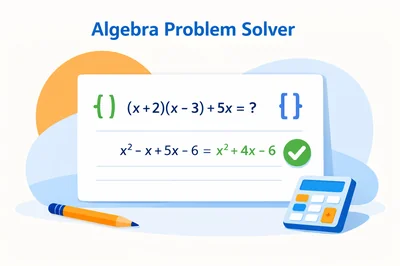
If you have ever stared at an expression and wondered which rule comes next, you are not alone. A good Algebra Problem Solver is designed to remove that “stuck” feeling by turning messy algebra into clear, checkable steps. Instead of guessing whether to distribute, combine like terms, or factor, you can input the exact expression and see what changes and why.
This guide shows how to use FastToolsy’s Algebra Calculator as a practical Algebra Problem Solver for everyday homework and self-study. You will learn the fastest way to enter problems, which operation to choose (simplify, expand, factor, evaluate, derivative), and how to spot common mistakes before they cost you points.
Quick answer: open the Algebra Calculator, type your expression, pick the operation you need, and hit Calculate. Use the output as a checkpoint—then rewrite the steps in your own words so the method sticks. When you treat the tool as a learning mirror, a Algebra Problem Solver becomes a study advantage, not a shortcut.
What an Algebra Problem Solver should do for you
At its core, an algebra solver has one job: transform an input into an equivalent form that is easier to interpret. The key word is “equivalent.” A reliable Algebra Problem Solver keeps the math true while changing the structure. That might mean simplifying, expanding, factoring, or substituting a value for a variable.
On FastToolsy, the Algebra Calculator focuses on the most common expression workflows: combining like terms, applying distributive rules, handling exponents, working with parentheses, and rewriting polynomials into factored forms. When your goal is learning, the best feature is seeing intermediate reasoning, because it shows where each coefficient comes from and which rule triggered the change.
- Turn complicated expressions into simpler equivalent forms
- Reveal hidden structure (like common factors)
- Reduce sign errors by showing consistent steps
- Help you check your own work quickly
Meet the FastToolsy Algebra Calculator
FastToolsy’s Algebra Calculator is a browser-based tool built to simplify, expand, and factor expressions with variables. It also supports evaluating an expression at a chosen value and calculating a basic derivative option for learning patterns. If you are searching for a Algebra Problem Solver because you want step clarity, this tool is a strong starting point because it keeps the workflow focused: choose the operation, enter the expression, then read the result.
Because it runs in the browser, you can use it on school computers and phones without installing anything. That convenience matters when you are studying in short bursts between classes. If you need extra help solving full equations (not just expressions), pair it with the Equation Solver for linear and quadratic forms.
Step-by-step: how to use the Algebra Calculator as an Algebra Problem Solver
-
Open the tool page and choose the operation you need (Simplify, Expand, Factor, Derivative, Evaluate).
-
Type your expression using standard notation. If you are unsure, copy the Input Guide examples and adapt them.
-
Use parentheses when grouping matters, like (x + 1)*(x - 1). This is the most important habit when using any Algebra Problem Solver.
-
Click Calculate. Read the result first, then review the working steps if shown.
-
Rewrite the steps on paper once. That single habit turns a Algebra Problem Solver into a learning tool rather than a copy-paste machine.
Input formatting that prevents errors
Many “solver errors” are not math errors—they are formatting problems. To get predictable output from a Algebra Problem Solver, you need to speak its language. FastToolsy’s input guide highlights the key patterns:
- Multiplication: type 2*x or 2x (both are common), but avoid ambiguous spacing like 2 x if the tool interprets it differently.
- Powers: use x^2 or x^3. If you paste x² from a document, retype it as ^2 to avoid symbol mismatches.
- Division: use x/2 and wrap grouped numerators or denominators: (x+1)/(x-1).
- Square roots: use sqrt(x) and remember sqrt(x^2) is not always x (it is |x| in real numbers), so interpret results carefully.
- Parentheses: always include them when distributing or factoring depends on grouping.
If your result looks strange, the first troubleshooting step is to add parentheses. A good Algebra Problem Solver can only be as clear as the structure you input.
When to simplify: the “clean it up” move
Simplifying is the most common use of a Algebra Problem Solver. It means combining like terms, reducing fractions when possible, and removing unnecessary parentheses. The goal is a shorter expression with the same meaning.
Example 1 (combine like terms): enter 2x + 3x. A simplification result should return 5x. That is simple, but it trains your eye to treat coefficients as a group. If you consistently miss these, a Algebra Problem Solver helps you spot the pattern quickly.
Example 2 (nested distribution): enter 3(2x - 1) + 4(x + 5). Many students distribute once and stop too early. The solver’s simplified form lets you compare your intermediate lines with a final cleaned-up line so you can see where you stopped.
Common mistake: dropping signs when combining negatives. If your answer differs by only a sign, use the Algebra Problem Solver output to locate the term that changed sign and redo that one combination carefully.
When to expand: making structure visible
Expanding is the opposite of factoring. You take products and powers and write them as sums. This is useful when you need to add expressions, compare coefficients, or prepare for solving an equation by standard form. A Algebra Problem Solver is especially helpful for expansions that include squares, cubes, or multiple parentheses.
Mini-example: (x + 2)^2. Expansion should produce x^2 + 4x + 4. If you forget the middle term, you are not alone—this is one of the most common algebra slips. Seeing the expanded form from a Algebra Problem Solver reminds you that (a + b)^2 is a^2 + 2ab + b^2, not a^2 + b^2.
Edge case: (x - 2)^2. Students often expand to x^2 - 4x + 4 and then accidentally change the last sign. A solver output gives you a consistent checkpoint.
When to factor: the fastest way to see roots and structure
Factoring is where an Algebra Problem Solver can feel like magic, but it is really pattern recognition. Factoring rewrites a polynomial as a product, revealing zeros, intercepts, and simplification opportunities when you divide or cancel terms. The tool can show you a correct factored form even when there are multiple valid answers.
Mini-example: x^2 - 9. A factoring result should return (x - 3)(x + 3). This is the difference of squares pattern: a^2 - b^2 = (a - b)(a + b). If you memorize only one factoring identity, make it this one.
Mini-example: 3x^2 + 2x - 1. Many students try guess-and-check and get stuck. A Algebra Problem Solver helps by showing one valid factorization (if it factors over integers or rationals). Then you can verify by expanding the product back to the original.
Common mistake: assuming there is only one “right” factorization. Your teacher’s answer and the solver’s answer can look different but still be equivalent. Multiply them out or compare roots to confirm equivalence.
Evaluate at a value: turning symbols into numbers
Evaluating is perfect when you want to check a step quickly. You choose a value for the variable and compute the result. This does not replace algebraic proof, but it can catch mistakes fast. A Algebra Problem Solver that supports evaluation lets you test whether two expressions are likely equivalent by checking a few values.
Example: suppose you simplified (x + 1)(x - 1) into x^2 - 1. Evaluate both at x = 3. The first gives (4)(2) = 8, and the second gives 9 - 1 = 8. Matching outputs build confidence that your transformation was correct.
Edge case: if an expression has a denominator, avoid values that make it zero. A Algebra Problem Solver may return an error or an undefined result. That is not a failure—it is a domain reminder.
Derivative option: a gentle intro to calculus patterns
If you are learning derivatives, the Algebra Calculator’s derivative option can support pattern checking. It is not a full calculus tutor, but it can help you confirm that power rule steps are consistent: derivative of x^n is n*x^(n-1). A Algebra Problem Solver is most useful here when you are practicing speed and want quick feedback after you do the work by hand.
Accuracy note: derivative tools depend on correct parsing. Use explicit multiplication signs when needed and simplify the expression first if the input is complex.
Common mistakes and how to fix them fast
Most algebra errors cluster into a small set of habits. A Algebra Problem Solver helps you identify them, but you still need the “why” so you do not repeat them. Here are the big ones and quick fixes:
- Missing parentheses: If the solver output seems unrelated, rewrite the expression with explicit grouping.
- Sign mistakes: Re-check every subtraction, especially when distributing a negative: -(x - 3) becomes -x + 3.
- Exponent confusion: Remember (2x)^2 = 4x^2, not 2x^2.
- Combining unlike terms: x and x^2 are not like terms. If you see them combined, redo that step.
- Canceling incorrectly: You can cancel factors, not terms. For example, (x+1)/(x+1) cancels to 1 (for x ≠ -1), but (x+1)/(x+2) cannot be “canceled” by removing x.
When you use a Algebra Problem Solver, treat it like a red pen: compare your line-by-line work to the output, find the first line that differs, and fix only that line. That approach builds skill quickly.
Edge cases: where you should slow down
Even a strong Algebra Problem Solver can’t replace mathematical judgment. Some expressions have multiple forms that look different but behave the same, or behave differently depending on constraints. Watch these situations:
- Absolute value and square roots: sqrt(x^2) is |x| over real numbers, not always x.
- Piecewise behavior: expressions that change depending on whether x is positive or negative can be simplified differently under assumptions.
- Factoring over integers vs real numbers: some polynomials do not factor nicely without irrational or complex numbers.
- Division by expressions: cancellations are valid only when you track domain exclusions (values that make denominators zero).
In these cases, use the tool as a guide, then confirm with your course rules (real vs complex, domain restrictions, and required form).
Homework checking checklist you can run in two minutes
When you finish a homework problem, you usually have two questions: “Is the final form correct?” and “Did I follow allowed steps?” A quick checklist makes a Algebra Problem Solver much more effective, because you are not only asking for an answer—you are auditing your reasoning.
- Re-enter the original expression and the final expression, then simplify both to see if they match.
- If factoring is required, expand your factored form and confirm it returns the starting polynomial.
- Test one easy value (like x = 0 or x = 1) to see if both forms produce the same number.
- Look for hidden restrictions: denominators, square roots, and absolute values can change what is allowed.
- If your teacher wants a specific form, run the tool’s output through another operation (for example, expand after factoring) until you reach the requested format.
This is also how you avoid “right answer, wrong method” issues. A Algebra Problem Solver can show a correct transformation that uses a technique your class has not covered yet. If that happens, keep the tool’s result as a destination, but redo the path using only the rules you have learned.
Two mini walkthroughs you can copy and practice
Walkthrough 1: simplify after expansion
Problem: simplify 2(x - 3) + 4(x + 1).
-
First expand each bracket: 2x - 6 and 4x + 4.
-
Combine like terms: (2x + 4x) + (-6 + 4) = 6x - 2.
-
Use the Algebra Problem Solver to confirm your final expression is 6x - 2.
Common trap: writing 2x - 3 instead of 2x - 6. The solver makes that mistake obvious because the constant term will not match.
Walkthrough 2: factor, then verify by expanding
Problem: factor x^2 + 5x + 6.
-
Look for two numbers that multiply to 6 and add to 5: 2 and 3.
-
Write the factorization: (x + 2)(x + 3).
-
Expand to verify: x^2 + 3x + 2x + 6 = x^2 + 5x + 6.
-
Use the Algebra Problem Solver to check that the factorization matches.
If your solver returns a different order (x + 3)(x + 2), that is the same result. Order does not matter in multiplication.
How to use an Algebra Problem Solver without “learning nothing”
The difference between helpful and harmful tool use is whether you do thinking before and after the output. A Algebra Problem Solver becomes educational when you follow a simple routine:
-
Attempt the problem by hand first. Even one line is enough.
-
Run the same input through the solver.
-
Compare your work and mark the first divergence.
-
Re-do that step using the correct rule, then continue.
-
Write a one-sentence rule summary (for example: “Distribute the negative to every term in the bracket”).
This routine is faster than you think, and it prevents the “I understand when I see it, but I can’t do it alone” problem.
Pairing tools for a complete study workflow
Algebra rarely appears in isolation. In a typical week, you may simplify expressions, solve equations, compute averages from quiz scores, and plan grades. FastToolsy’s Student Tools category makes it easy to keep the right tool for each task:
- Use the Algebra Calculator as your expression-focused Algebra Problem Solver for simplify/expand/factor practice.
- Use the Equation Solver when the goal is to find x (linear and quadratic setups are common).
- Use the Average Calculator to summarize repeated scores quickly.
- Use the GPA Calculator and Grade Calculator when your “problem” is planning rather than algebra.
Keeping these separate prevents frustration. For example, if you paste a full equation into an expression simplifier, you may get output that is mathematically fine but not what you intended. Choosing the right tool first saves time.
Accuracy and limitations you should know
No online Algebra Problem Solver is perfect for every classroom policy. Tools may simplify into a form different from your teacher’s “preferred” form, especially with factoring and rational expressions. They can also make implicit assumptions (like working over real numbers) unless stated otherwise. That is why you should always verify important steps:
- Check equivalence by expanding a factored answer.
- Plug in a test value to compare two forms (while respecting domain limits).
- Read your assignment’s required format (standard form, factored form, vertex form, etc.).
Used with those checks, the tool stays reliable for practice and verification.
FAQ
Is an Algebra Problem Solver the same as an equation solver?
Not exactly. A Algebra Problem Solver often focuses on transforming expressions (simplify, expand, factor), while an equation solver focuses on finding values that satisfy an equation. Many study workflows use both.
Why does the factored answer look different from my teacher’s answer?
There are often multiple equivalent factorizations. Expand the solver’s result to confirm it matches the original polynomial, or compare roots if you have them.
What should I do if the tool returns an error?
Re-check parentheses, operators, and exponent formatting (use ^). If your expression has a denominator, confirm you are not forcing division by zero when evaluating.
Can I trust it for exams?
Use it for practice and checking at home. For exams, follow your instructor’s calculator and tool policies.
Final takeaway
A reliable Algebra Problem Solver helps you move from confusion to clarity by making algebra steps visible and checkable. Use FastToolsy’s Algebra Calculator to simplify, expand, factor, and test expressions—then use the output to correct your process, not just your final answer. For many learners, that is exactly what an Algebra Problem Solver should deliver.
If you want a fast way to study more efficiently, open the Algebra Calculator and use it as a checkpoint on your next practice set. You will learn faster when you track the rules you miss most often and fix one pattern at a time—this is the simplest way a Algebra Problem Solver supports real progress.
Frequently Asked Questions
Is an Algebra Problem Solver the same as an equation solver?
Not exactly. An Algebra Problem Solver often focuses on transforming expressions (simplify, expand, factor), while an equation solver focuses on finding values that satisfy an equation.
Why does the factored answer look different from my teacher’s answer?
There can be multiple equivalent factorizations. Expand the solver’s result or compare roots to confirm it matches the original polynomial.
What should I do if the tool returns an error?
Re-check parentheses, operators, and exponent formatting (use ^). If evaluating, make sure you are not dividing by zero or using an invalid input form.
Can I trust it for exams?
Use it for practice and checking work outside exams. During exams, follow your instructor’s calculator and tool policies.