conversion of currency is one of those tasks that seems simple until you need to trust the number. If you are traveling, paying an invoice, comparing subscription prices, or checking a statement, you want a fast estimate that reflects today’s rate and your chosen pair of currencies. The easiest way is to use a browser tool that shows the rate and the converted amount side by side so you can sanity-check the result.
FastToolsy’s Currency Converter is built for quick conversion of currency without sign-ups. Pick a “from” currency, pick a “to” currency, enter an amount, and you’ll see the result instantly—plus the exchange rate being used. For most everyday decisions, that’s the workflow you need.
Quick answer: how conversion of currency works
At its core, conversion of currency is multiplication with one extra detail: the rate is a moving target. You start with an amount in the source currency, multiply it by an exchange rate, and you get the target currency amount. A good converter also shows how that rate is defined (for example, 1 USD equals X EUR) so you can interpret the number correctly.
- Choose the currency you have (source).
- Choose the currency you want (target).
- Enter the amount.
- Review the converted result and the rate.
Why exchange rates change (and why your bank’s number may differ)
When people talk about conversion of currency, they often assume there is one “official” number. In reality, there are many rates in the wild. Markets move, liquidity changes, and providers add spreads and fees. That is why a converter is best for planning and comparison, while your final payment provider (bank, card, transfer service) is the source of truth for the exact settlement.
Even if two sites show similar values for conversion of currency, small differences add up when the amount is large. If you are converting for budgeting, the estimate is usually enough. If you are converting for a wire transfer, always confirm the final total and fees with your provider.
Step-by-step: use the Currency Converter for conversion of currency
Here is a simple routine you can repeat for travel planning, invoices, or price comparisons:
- Open the Currency Converter.
- In “From,” pick the currency you currently have.
- In “To,” pick the currency you need.
- Type the amount you want to convert.
- Check the displayed rate and the converted value.
- Use swap to reverse the direction if you want the inverse rate.
This approach keeps conversion of currency transparent: you can see what rate is being applied, and you can quickly test different amounts without reloading the page.
Understanding the rate line
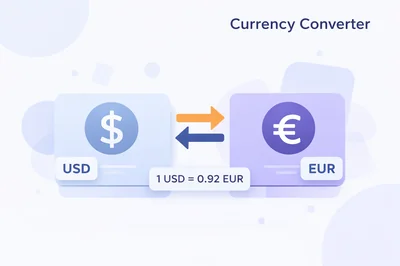
A converter typically displays something like “1 USD = 0.92 EUR” (numbers vary). That line is the heart of conversion of currency. If your input is 100 USD, then 100 × 0.92 = 92 EUR. If you swap the direction, you will see the inverse relationship (1 EUR equals about 1.09 USD in this example). Seeing both directions helps you catch mistakes such as choosing the wrong “from” currency.
Base currency, quote currency, and the common confusion
Many conversion errors happen when people read the rate backward. In most displays, the first currency is the base and the second is the quote. For accurate conversion of currency, always verify you are multiplying in the direction you intend. If you want to know how many euros you get for dollars, the quote should be EUR when the base is USD.
Where conversion of currency shows up in real life
conversion of currency is not just for vacation spreadsheets. You will run into it in plenty of day-to-day moments:
- Comparing online prices between regions for software, courses, or services.
- Estimating how much cash you need for a trip.
- Checking how an international invoice will look in your home currency.
- Understanding salary, freelance, or marketplace payouts across countries.
- Reviewing historical statements that list a foreign-currency amount.
In each case, the goal is the same: a clear number you can act on, using conversion of currency that is easy to repeat and verify.
Mini-example 1: travel budgeting
Imagine you are planning a weekend and you expect to spend 250 in a local currency. You want to know roughly what that is in your home currency before you book tours and restaurants. Run conversion of currency for 250, then do a second check for 300 so you have a buffer. The second check is not “extra”; it is a quick way to protect your plan from small rate changes and rounding.
Mini-example 2: shopping across regions
Let’s say a tool subscription is priced at 19.99 in one region and 17.99 in another. Use conversion of currency on both amounts into your home currency, then compare totals. If you care about the true cost, remember that taxes, card fees, and provider spreads may affect the final bill. Still, conversion of currency gives you a fast reality check before you commit.
Common mistakes in conversion of currency (and how to avoid them)
- Mixing up “from” and “to”: Use swap to confirm the direction.
- Assuming the rate includes fees: Many payment methods add a spread; treat converters as estimates.
- Forgetting the date: If you are matching a past transaction, today’s conversion of currency will not reflect the historical rate used.
- Ignoring rounding: Small rounding differences can look like “errors” when you compare two tools.
If you are comparing tools, focus on whether they show the rate clearly and keep the conversion of currency process understandable.
Edge cases you should know about
Weekend and holiday updates
Some rates refresh continuously, while others update on a schedule. If you are doing conversion of currency during a weekend or holiday, the displayed rate might lag a little behind live market movement depending on the data source. For everyday planning, that is fine. For time-sensitive trades or transfers, confirm with your provider.
Thinly traded currencies
When a currency pair is less common, prices can be less stable and spreads can be wider. In those cases, treat conversion of currency as a ballpark figure and expect the final executed rate to vary by provider. The bigger the amount, the more that spread matters.
Cash vs card reality
Cash exchange kiosks and card payments often use different rates. A cash kiosk might advertise a good headline rate but recover margin via fees. Your card might use a network rate plus an issuer spread. Use conversion of currency to estimate, then check your provider’s fee schedule for the complete picture.
How this differs from currency exchange
People often search for currency exchange when they really want conversion of currency. In common language, currency exchange can mean the act of exchanging cash at a booth, while conversion of currency can be a calculation you do to estimate a value. The tool on FastToolsy focuses on the calculation side, which is usually what you need first.
currencies exchange vs converters: what the terms usually mean
The phrase currencies exchange is sometimes used to describe markets, providers, or services that perform trades. A converter, by contrast, is typically used to compute a value based on a displayed rate. If your goal is to plan, compare, or understand a number, a converter is the fastest option. If your goal is to move money, you will still do conversion of currency first, then confirm the final executed rate with the service you use.
Why a currencies converter is handy for teams
A currencies converter is useful when multiple people need to agree on the same baseline estimate. For example, a finance team might compare vendor quotes across countries, or a remote team might review reimbursements in one reporting currency. When everyone uses the same tool for conversion of currency, the conversation stays consistent and you avoid “my calculator says…” debates.
What about a valuta converter?
You will also see the phrase valuta converter in some regions as a synonym for a currency converter. The workflow is the same: pick currencies, input an amount, and review the result. The important part is not the label, but whether the tool makes conversion of currency clear and quick for the pair you care about.
Practical accuracy note
FastToolsy’s converter is designed for fast conversion of currency and everyday decision-making. However, final bank transfers, card charges, and cash exchanges may include fees and spreads that change your settlement rate. Use the output for planning, and verify the exact total with your payment provider when money is on the line.
Tips to make conversion of currency more useful
- Check two nearby amounts (for example, your expected total and your expected total plus a buffer).
- If you are comparing prices, convert everything into one “home” currency before you decide.
- When budgeting, round conservatively so you are not surprised by small rate moves.
- If you are copying numbers from receipts or PDFs, clean the text first to avoid hidden characters.
If you need to clean pasted text (extra spaces, line breaks, or odd formatting), try Text Cleaner or Remove Line Breaks before you paste values into your own spreadsheet.
Going beyond one pair: building a simple comparison table
Sometimes you want to compare several currencies at once—like checking how a fixed budget looks in USD, EUR, GBP, and a local currency. For that, run conversion of currency for your base amount across each target currency and write the results into a small table. If you also need unit conversions (for example, gallons to liters for a travel plan), you can pair this with the Unit Converter to keep everything consistent in one place.
|
Task |
What to convert |
Tool |
|---|---|---|
|
Travel budget |
Cash estimate across currencies |
|
|
International shopping |
Regional prices into one currency |
|
|
Mixed planning |
Units and measures for packing, fuel, or weight |
When you should double-check conversion of currency
Most of the time, a single conversion is enough. But there are situations where an extra check is wise:
- Large invoices or contracts.
- Prices that are “too good to be true” after conversion of currency.
- Transactions where fees might be significant.
- Pairs with thin liquidity or high volatility.
A quick cross-check is easy: swap the direction, confirm the inverse rate makes sense, then convert back to see if you return close to the starting number (minor differences come from rounding). That small habit makes conversion of currency feel safer.
Rounding, decimals, and what you should report
For casual decisions, rounding to two decimals is usually fine. For business reporting, the right number of decimals depends on your context. Some teams prefer to round at the end, after summing totals, because rounding each line item can compound errors. If you use conversion of currency for budgeting, consider rounding up slightly to stay conservative.
Privacy and convenience
FastToolsy tools are designed to be quick and easy to access without sign-ups. That matters when you are doing conversion of currency on a shared device or when you just want an answer without extra friction. You can open the converter, get your number, and move on.
How to read currency codes and symbols
Most tools label currencies using three-letter ISO codes (like USD, EUR, GBP, JPY). Symbols are helpful for humans, but codes are safer when you are comparing multiple currencies because symbols can overlap. For example, “$” can refer to USD, CAD, AUD, and other dollar-based currencies. If you are doing bookkeeping or sharing a screenshot with a teammate, relying on codes reduces ambiguity.
When you copy values into notes or spreadsheets, it helps to store three pieces of information together: the amount, the currency code, and the date. The date matters because rates move. Without a date, a number can be correct and still be misleading a week later.
Fees, spreads, and why estimates and settlements differ
Converters often show a reference rate that is close to a market midpoint. Payment providers may use a different effective rate because of spreads (the difference between buy and sell prices) and explicit fees. This is normal. What matters is knowing when you are using an estimate versus preparing a final payment.
- Card payments: A network rate may be used, then your issuer may add a margin or a foreign transaction fee.
- Bank transfers: Your bank may quote a customer rate that includes a spread, and may also charge a transfer fee.
- Cash exchanges: Booths may advertise a headline rate and then adjust the final result through commissions or less favorable buy/sell rates.
If your goal is planning, an estimate is usually enough. If your goal is reconciliation, capture the provider’s final rate and total after fees.
Historical conversions for receipts and reports
Sometimes you are not trying to answer “what is this worth today?” You are trying to match a past transaction. A hotel receipt from last month, a marketplace payout from last quarter, or an old invoice might need to be recorded in a reporting currency. In that case, today’s rate is not the right reference. Use the rate from the transaction date if your accounting policy requires it.
When you cannot retrieve the original executed rate, the next best option is to reference a reputable historical rate source for that date and document what you used. The key is consistency: use the same approach across similar records so your reporting stays comparable.
Building a simple spreadsheet workflow
If you do this often, you can turn your checks into a lightweight routine:
- List your items in a sheet with columns for description, amount, and currency code.
- Run a quick conversion in the browser for each currency you need.
- Paste the converted totals into your sheet along with the rate and the date.
- Keep notes about fees if you expect the settlement to differ from the reference value.
This keeps your numbers traceable. If someone asks how you got a value, you can point to the inputs and the date you checked.
Troubleshooting when results look “wrong”
If a converted amount surprises you, it is usually one of a few issues:
- You selected the wrong currency on one side (common when symbols overlap).
- You typed an extra zero or missed a decimal point.
- You compared an estimate to a bank settlement that included fees.
- The rate moved since you last checked, especially during volatile periods.
- Your browser cached an old value; reloading the page or repeating the check can help.
A practical habit is to perform a small “sanity check” amount first (like 1 or 10 units) so you can see the scale before entering your real number.
Related tools that support clean inputs
When you copy amounts from emails, PDFs, or websites, you may also copy invisible whitespace or formatting characters. Cleaning the pasted text makes it easier to reuse the number elsewhere, and it can reduce mistakes when you share values in chat. FastToolsy includes text utilities that can help with quick cleanup before you paste data into your own documents.
Choosing a rounding approach for different situations
Not every decision needs the same precision. For a quick comparison, two decimals is fine. For bulk pricing, you may want more decimals until the final step. For travel cash, rounding up is often safer because it protects you against small shifts and unexpected fees.
If you are documenting numbers for someone else, write the rounded value you are using and keep the unrounded value in a note. That makes later questions easier to answer and avoids the “why is this off by a few cents?” loop.
When extra decimals matter
- Large invoices where tiny differences can add up.
- Per-unit costs that are multiplied across many items.
- Projects where you need to reconcile multiple partial payments.
Comparing multiple providers without overthinking it
If you check several providers and see small differences, that is expected. Instead of chasing the “perfect” number, focus on the pattern. If one provider is consistently higher or lower, it may be adding a wider spread or a fee. If the numbers are clustered, you can treat any of them as a reasonable planning estimate.
When the amount is significant, compare the all-in cost: total delivered after fees, not just the headline rate. A slightly worse rate with a lower fee can still win.
Accessibility and device tips
On mobile, it helps to double-check that the numeric keyboard is entering the format you expect, especially if your locale uses commas for decimals. If you see a strange result, re-enter the amount slowly or paste it from a clean source. On desktop, copy and paste is usually faster, but pasted values can include extra spaces—another reason text cleanup tools are useful.
Keeping a simple audit trail
When numbers are shared across a team, a tiny bit of structure goes a long way. Save a short note with: the source currency, the target currency, the amount, the date, and the resulting value you used. If you later need to explain a decision or reconcile a report, you will have the context ready. A short note also helps you avoid re-checking the same pair repeatedly, because you can see the last value you used and decide whether you need a fresh lookup.
One last check before you act on the number
Before you book, pay, or send a quote, pause for a five-second check: are the currencies correct, is the amount typed correctly, and does the scale make sense compared with a rough mental estimate? This quick habit catches most errors without turning the task into a research project.
If the result still feels surprising, repeat the calculation with a small test amount and then with your full amount. Seeing the relationship at a smaller scale often reveals a swapped selection or a misplaced decimal.
Final takeaway
For everyday decisions, conversion of currency should be fast, transparent, and easy to repeat. Use a converter that shows both the converted result and the rate so you can verify the direction and understand the output. When the exact settlement matters, confirm with your bank or provider—but for planning, comparisons, and budgeting, the FastToolsy converter is a simple way to keep conversion of currency under control.
If you want a quick estimate right now, open the Currency Converter, run conversion of currency for your amount, and save the result alongside the date you checked it.
Frequently Asked Questions
How often do exchange rates change?
Rates can change frequently. A converter is best for quick planning estimates, but for time-sensitive transfers you should confirm the final rate and fees with your bank or payment provider.
Why does my bank’s conversion differ from what I see online?
Banks and card issuers can add spreads and fees, which changes the effective rate you get. Online converters are typically used for estimates, not final settlement totals.
What’s the easiest way to avoid swapping the currencies by mistake?
After selecting your from/to currencies, use the swap button to confirm the inverse direction looks reasonable, then swap back and convert your real amount.
Can I use a converter for invoices and budgeting?
Yes—converters are great for estimating totals for invoices, quotes, and budgets. For accounting or reconciliation, capture the executed rate and total from the provider that processed the payment.
Does the tool work on mobile?
Yes. The FastToolsy Currency Converter is responsive and works on phones, tablets, and desktops.