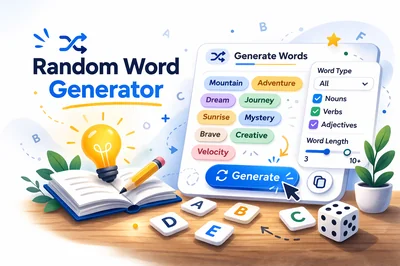
Quick answer: Use FastToolsy’s Random Word Generator when you need instant prompts or idea starters. Pick how many words you want, optionally filter by word type (nouns, verbs, adjectives) and word length, then generate and copy a fresh list in seconds.
Randomness is useful because it removes the “blank page” problem. When your brain gets stuck searching for the perfect first idea, a neutral list of words gives you something concrete to react to. You can keep what sparks something, discard what doesn’t, and regenerate until you hit a direction that feels alive.
What a random word generator does (and what it doesn’t)
A random word generator pulls words from a prepared list and outputs them in a randomized order. FastToolsy’s tool is designed for practical creativity: short lists for fast ideation, and simple filters that help you shape the kind of words you receive.
It’s important to set expectations. A generator won’t “understand” your story, brand, or lesson plan. It won’t guarantee a perfect theme match. What it does well is give you raw material at speed so you can make decisions faster.
When it helps most
- Writing prompts: Start scenes, poems, or flash fiction without waiting for inspiration.
- Games: Create word pools for charades, Pictionary, storytelling dice alternatives, or improv rounds.
- Brainstorming: Break habitual thinking for product names, features, campaign themes, or content angles.
- Teaching and practice: Vocabulary activities, parts-of-speech practice, or quick warm-ups.
How to use FastToolsy’s Random Word Generator
The workflow is intentionally simple so you can stay in “making mode” instead of fiddling with settings.
Step-by-step
- Open the tool: Random Word Generator.
- Choose Number of Words based on your task (small lists for quick prompts, larger lists for games or research).
- Optionally choose Word Type (for example, nouns for naming, verbs for action-driven prompts, adjectives for mood and style).
- Optionally choose Word Length (short words for games and rapid writing, longer words for more specific flavor).
- Click Generate.
- Use Copy All to paste the list into notes, a doc, or your planning board.
- Regenerate when you want a fresh set.
Practical tip: For most creative tasks, start with 10–20 words. Too few can feel limiting; too many can turn into scanning instead of creating.
Two mini-examples you can copy today
Mini-example 1: A 10-minute writing sprint
Generate 12 words, no filters. Then do this:
- Pick one noun as the setting anchor.
- Pick one verb as the conflict trigger.
- Pick one adjective as the emotional tone.
Write for 10 minutes without stopping. If you hit a wall, force yourself to include two more words from the list in the next paragraph. The list becomes a “fuel tank” you can draw from mid-sprint.
Mini-example 2: Naming ideas for a feature or project
Set Word Type to Nouns, generate 30, and scan for words that suggest outcomes (clarity, speed, safety, focus). Then pair each promising noun with a simple modifier: “Pocket,” “Quick,” “Bright,” “Core,” “Flow.” You’ll quickly produce a page of candidate names without getting stuck on a single idea too early.
Common mistakes (and how to avoid them)
Mistake 1: Generating too many words at once
If you generate 100 words for a small task, you’ll spend more time evaluating than creating. Start small, regenerate often. Treat randomness like repeated drafts, not a one-shot answer.
Mistake 2: Using the list as a strict checklist
The goal isn’t to force every word into your output. The goal is to spark associations. If a word doesn’t work, skip it. If it suggests an idea indirectly, use the idea and ignore the word.
Mistake 3: Filtering too early
Filters are powerful, but they can narrow your options before you’ve explored the space. A good pattern is: first pass unfiltered for surprises, second pass filtered once you know what direction you’re heading.
Edge cases and practical details
Word type: nouns vs verbs vs adjectives
- Nouns tend to create objects, places, roles, and “things” you can build around. Great for naming, worldbuilding, and concrete scenes.
- Verbs create motion and stakes. Great for plot, improv, game rounds, and action prompts.
- Adjectives shape tone and style. Great for mood boards, descriptive writing, and character voice practice.
Word length and game fairness
For party games or classroom activities, word length affects difficulty. Short words are usually easier to guess and act out; longer words can be more specific but may slow the game. If you want balanced rounds, alternate short and medium lengths between turns.
“Random” doesn’t mean “perfectly even”
Any random output can repeat patterns over short runs. If you notice repeated vibes (for example, many similar-sounding words), regenerate. In practice, fast iteration beats trying to get an “ideal” distribution.
Language and audience fit
Generated words are best treated as neutral prompts. If you’re producing content for a specific audience (kids, technical professionals, sensitive topics), do a quick review before publishing or using the list in a live setting. For official decisions or institutional settings, follow your organization’s policy on approved materials and language.
Pair it with these related text tools
Random words are most useful when you can quickly shape and reuse them. These tools help you go from a raw list to something you can ship:
- Text Repeater for rapid pattern testing, repeated prompts, or bulk variations.
- Text Cleaner to remove extra spacing and formatting after copying lists into different apps.
- URL Encoder/Decoder when you turn word lists into query strings or shareable links.
- Character Counter to keep prompts and captions within platform limits.
- Word Counter to measure prompt length, script drafts, or classroom assignments.
Accuracy note
Random word generators depend on their underlying word list and filtering logic. FastToolsy’s tool is ideal for creative prompting and rapid ideation, but it isn’t a dictionary replacement and won’t guarantee specialized terminology for niche domains. If you need specific vocabulary (medical, legal, scientific), treat the output as a starting point and verify terms with an authoritative reference.
When you want fast, low-friction inspiration, open the Random Word Generator, generate a small list, and use the first words that spark a direction rather than waiting for the “perfect” prompt to appear.
Frequently Asked Questions
How many words can I generate at once?
FastToolsy’s Random Word Generator can generate up to 100 words per run. If you’re brainstorming, smaller batches (10–30) are usually easier to use.
Can I filter by nouns, verbs, or adjectives?
Yes. Use the Word Type filter to generate nouns, verbs, or adjectives depending on whether you want objects/ideas, actions, or descriptive tone.
What is the best setting for writing prompts?
Start with 12–20 words and no filters for surprise. If you already know your direction, filter by verbs for plot motion or adjectives for tone.
Why do I sometimes see similar words repeated across runs?
Random output can cluster by chance in short runs. Regenerate, reduce the word count, or change filters to quickly shift the mix.
Can I use generated words for official or institutional work?
You can use them as brainstorming prompts, but for official decisions or materials, follow your institution’s policy and review the final wording for audience suitability.