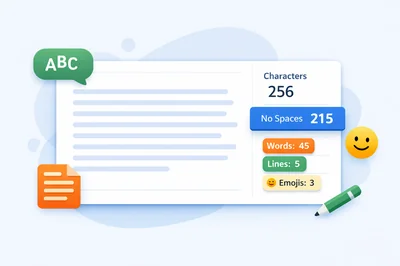
Online Character Count is the fastest way to measure text before you publish, submit, or paste it into a field with limits. If you need to know how many characters you have with spaces, without spaces, or across a full paragraph, FastToolsy gives you the answer instantly in your browser. This matters for social captions, meta descriptions, form fields, SMS drafts, product listings, and anywhere a strict text limit can break your workflow. Instead of guessing, trimming blindly, or copying your text between editors, you can use Online Character Count to check length in real time and make better edits with confidence.
The main reason people use Online Character Count is simple: small differences in length can change whether your text is accepted, displayed properly, or cut off at the worst moment. A title that is too long may be truncated. A social caption may lose its ending. A short bio may fail validation even though it looked fine in your draft. When you can see counts clearly, you can write with purpose instead of reacting at the last second.
What Online Character Count actually measures
Online Character Count measures the length of text one character at a time. That includes letters, numbers, punctuation, spaces, symbols, emojis, and line breaks. A good tool does not stop at one total. It usually shows characters with spaces, characters without spaces, word count, line count, and paragraph count so you can evaluate text from more than one angle.
That difference is useful because not every platform counts text in the same way. Some interfaces care about the full visible length, which means spaces matter. Others may ask you to check characters without spaces when they want a tighter measure of the content itself. FastToolsy’s Character Counter specifically shows characters with and without spaces, plus words, lines, and paragraphs, so the tool covers the most common real-world needs. It also supports Unicode text including Arabic and emojis, and processing happens in your browser rather than being stored on the server.
Why people rely on Online Character Count every day
A character counter sounds basic until you start working with platforms and forms that impose hard limits. Then it becomes a practical editing tool. Writers use Online Character Count before publishing titles and descriptions. Marketers use it to fit ad copy and social posts. Students use it for short-form responses. Support teams use it for canned replies and chatbot prompts. Developers use it when testing UI labels, input validation, and exported strings.
What makes the process easier is speed. You paste or type your text, the result updates instantly, and you can refine your wording one edit at a time. That means you are not only measuring text. You are also learning how much space each phrase costs and which edits preserve meaning while reducing length.
How to use Online Character Count on FastToolsy
Using the tool is straightforward. Open the Character Counter, paste or type your content, and watch the numbers change in real time. FastToolsy shows total characters, characters without spaces, word count, lines, and a character breakdown that includes letters, numbers, spaces, special characters, and emojis. That makes Online Character Count more useful than a single raw number because you can see what is making the text longer.
- Paste or type your text into the input area.
- Read the main totals for characters and no-spaces count.
- Check the extra metrics such as words, lines, and paragraphs.
- Review the breakdown for letters, numbers, spaces, special characters, and emojis.
- Edit your text until it fits your target.
- Copy the final version and publish or submit it.
That workflow is especially helpful when you are optimizing the same message for multiple destinations. A caption might fit one channel but not another. A product summary might need one version for the site and a shorter version for a feed. With Online Character Count, you can keep both versions open, compare them, and adjust without losing your meaning.
Quick answer: when should you check character length?
You should check your text before posting, submitting, or finalizing any content that has a visible limit or a hidden validation rule. That includes social bios, captions, descriptions, push notifications, subject lines, ad text, metadata, form inputs, and app interface copy. In all of those cases, Online Character Count helps you avoid preventable rework.
It is also useful when there is no official limit but you still want tighter writing. Shorter text can be easier to scan, more punchy on mobile, and better aligned with user attention. A visible counter nudges you toward intentional phrasing instead of wordy filler.
Characters with spaces vs characters without spaces
This is one of the most common points of confusion. Characters with spaces means every visible character plus spaces are included in the total. Characters without spaces removes spaces from the count but keeps letters, numbers, punctuation, and symbols. When you use Online Character Count, both views are available at the same time, so you do not have to guess which metric a platform or brief is referring to.
Here is a simple example. The phrase “FastToolsy rocks” has fifteen characters with the space included, but fourteen without the space. The phrase looks almost the same, but the count changes immediately. That difference becomes important when you are close to a limit and every single character matters.
People often run into this problem when a field says “150 characters” but the internal rules are not clear. One team member may assume spaces count. Another may assume they do not. A side-by-side display removes the ambiguity and lets everyone work from the same numbers.
Mini-example one: writing a social bio
Imagine you need a short bio for a profile. Your first version sounds good but runs too long. You open Online Character Count, paste the draft, and see that the bio is over your target. You cut filler words, remove repeated descriptors, and shorten one phrase. After each change, the counter updates immediately. Within a few edits, the bio fits and still sounds natural.
The real value here is not just compliance. It is control. Instead of deleting randomly, you can see exactly how much room you need to save. That changes the editing experience from frustrating to precise.
Mini-example two: trimming a meta description
Now imagine you wrote a meta description for a page and want it to stay readable in search results. You paste the text into Online Character Count and compare the character total against your target length. You realize the sentence is slightly long because the opening clause is doing too much work. By replacing one long phrase with a shorter equivalent, you bring the description into range without losing the core promise.
This kind of adjustment is easier when the feedback is instant. A text field alone does not tell you enough. A counter does.
Common mistakes that make text longer than expected
A lot of over-limit text comes from habits rather than important content. Extra spaces, repeated qualifiers, long transitions, and duplicate ideas all add length without improving clarity. Online Character Count helps expose those issues because the totals change with every small cleanup.
- Using filler words like really, very, actually, and basically
- Repeating the same idea in two different phrases
- Adding extra spaces before or after punctuation
- Keeping hashtags that do not serve a purpose
- Using long phrases where a short one says the same thing
- Leaving hidden line breaks after copying text from another app
When you watch the count as you edit, you start noticing which parts of your writing create bloat. Over time, that makes you faster even before you open the tool.
Edge cases: emojis, Arabic, line breaks, and symbols
Not all text is plain English. Modern text often includes emojis, hashtags, punctuation, mixed scripts, and pasted content from documents or chats. FastToolsy states that the Character Counter supports Unicode text including Arabic and emojis. It also notes that line breaks are counted as characters in most character-counting methods, which is useful when you are checking formatted text rather than a single sentence. In those cases, Online Character Count helps you see the full impact of formatting choices that might otherwise go unnoticed.
This matters in multilingual work. A team might prepare English and Arabic versions of a headline, or a creator might mix emoji with promotional text. The number of visible symbols can rise faster than expected. A browser-based counter gives you a quick reality check without forcing you into a more complex editor.
What makes FastToolsy a strong choice
FastToolsy’s Character Counter is designed for immediate use. The live tool page shows real-time counts for characters, no-spaces characters, words, lines, and a breakdown of letters, numbers, spaces, special characters, and emojis. The broader Text Tools page also confirms that these utilities run in your browser, support Arabic and other Unicode languages, and do not store your text on the server. That makes Online Character Count practical when you want speed and privacy together.
Another advantage is that the tool sits inside a larger text workflow. If your copied content has awkward formatting, you can clean it first with Text Cleaner, then bring it back into the counter for a more reliable result. If you need a wider text snapshot, Word Counter gives you word, sentence, and paragraph analysis. This ecosystem makes FastToolsy more than a one-off utility.
How Online Character Count improves editing quality
Good writing is not only about saying more. Often it is about saying the right thing in less space. A counter gives you a visible constraint, and constraints improve decision-making. When you use Online Character Count, you can test alternatives quickly: a shorter verb, a tighter opening, a cleaner call to action, or a headline that keeps its punch without spilling over.
This is useful in at least three ways. First, it helps you protect meaning while cutting length. Second, it prevents panic edits right before publication. Third, it builds awareness of how structure affects size. Many writers discover that their strongest version is often the shorter one, not because it is short, but because it is more direct.
Use cases across publishing, marketing, and product work
Online Character Count fits naturally into many workflows:
- Social media captions, bios, and post drafts
- Meta titles and meta descriptions
- Email subject lines and preview text
- Product names, bullets, and marketplace listings
- Form fields, user profiles, and signup messages
- Push notifications, UI labels, and app copy
- SMS drafts and support macros
- Class assignments with short-answer limits
In each of these examples, the same benefit applies: you get immediate feedback before the text causes a problem somewhere else. That is why a simple counter becomes a dependable daily tool.
How to reduce character count without ruining tone
When your text is only slightly over the limit, you usually do not need a full rewrite. You need a disciplined trim. Online Character Count works best when paired with a few editing habits:
- Cut filler words first.
- Replace long phrases with short direct alternatives.
- Remove duplicate context that the reader already understands.
- Swap weak openers for clearer verbs.
- Delete decorative punctuation when it adds no value.
- Use fewer hashtags and keep only the strongest ones.
Try making one change at a time rather than rewriting everything at once. A live counter rewards that method because you can see exactly which edit solved the problem.
Accuracy note and practical limitations
No character tool can guarantee that every external platform will display or enforce limits in exactly the same way. Some systems treat links, hidden formatting, or certain Unicode sequences differently. That is why the safest workflow is to use Online Character Count as your primary drafting check and then verify inside the final destination when the platform is especially strict.
Even with that limitation, a browser-based counter remains one of the most efficient ways to avoid common mistakes. It catches the vast majority of length problems early, which saves time and reduces last-minute editing stress.
When to combine it with other FastToolsy tools
Sometimes the issue is not the wording but the input quality. If text came from a PDF, spreadsheet, or formatted document, it may include extra spaces or awkward line breaks. In that case, clean the text first, then run Online Character Count again. That gives you a measurement based on the content you actually plan to publish, not the messy formatting you accidentally pasted.
For a broader content review, you can also compare results with Word Counter. That is helpful when you want both sentence-level and character-level insight for the same piece of copy.
Best practices for a smoother workflow
If you want consistent results, keep the process simple. Draft first, count second, tighten third, then recheck before final use. Save alternate versions when you are preparing copy for multiple channels. Use the no-spaces count when a brief asks for it, but keep the full character total visible too. Over time, Online Character Count becomes less of a rescue tool and more of a normal part of writing clean, publish-ready text.
Teams can also use the tool as a shared reference point. Instead of debating whether a string is “too long,” everyone can review the same measurement and agree on a target. That speeds up approvals and reduces subjective back-and-forth.
Common questions in practice
Can Online Character Count help with short-form answers?
Yes. Short-form fields are one of the best reasons to use Online Character Count. When a form limits response length, the tool lets you trim your answer before submission instead of learning about the limit after you click send. That is especially helpful for scholarship forms, marketplace listings, profile summaries, and support responses where even a small overage can block submission.
Is Online Character Count only for marketers?
No. Anyone who writes inside structured fields can benefit from it. Students, recruiters, support agents, product managers, developers, editors, and business owners all deal with text limits in different contexts. The tool is simple enough for casual use and practical enough for daily professional work.
The bigger lesson is that a visible counter changes how you edit. Online Character Count makes revision measurable, and Online Character Count keeps small edits honest. Once you can measure your text instantly, you stop guessing and start making deliberate improvements. That makes the final copy clearer, cleaner, and more usable.
Final takeaway
Online Character Count is useful because it solves a very common problem with almost no friction. You paste text, get accurate live totals, and edit with clarity. On FastToolsy, the tool goes further by showing characters with and without spaces, words, lines, and a detailed breakdown while keeping processing in the browser. Whether you are writing a bio, tightening metadata, checking a caption, or cleaning UI copy, Online Character Count gives you a faster and more reliable way to stay within limits and improve the final result.
Try the Character Counter before your next post, form submission, or metadata update so you can catch length issues early and publish cleaner copy with less rework.
Frequently Asked Questions
What does Online Character Count measure?
It measures characters with spaces, characters without spaces, and often related metrics such as words, lines, and paragraphs so you can judge text length accurately.
Does FastToolsy support Arabic and emojis in character counting?
Yes. FastToolsy states that its Character Counter supports Unicode text including Arabic and emojis.
Is my text uploaded when I use FastToolsy’s Character Counter?
No. FastToolsy indicates that text processing happens in your browser and your content is not stored on the server.